
Shared Collection Demo
Search around a real collector's shared collection - then publish your own in a couple of taps.
Explore the Sports Card Collection Demo:
Browse Cards: Scroll through the collection and view card details
Search & Filter: Use the search and filter tools to find specific cards
Change Views: Switch between list, grid, and detail views
Collection Info: View collection statistics and details
How To Share Your Sports Card Collection
In the Mobile App
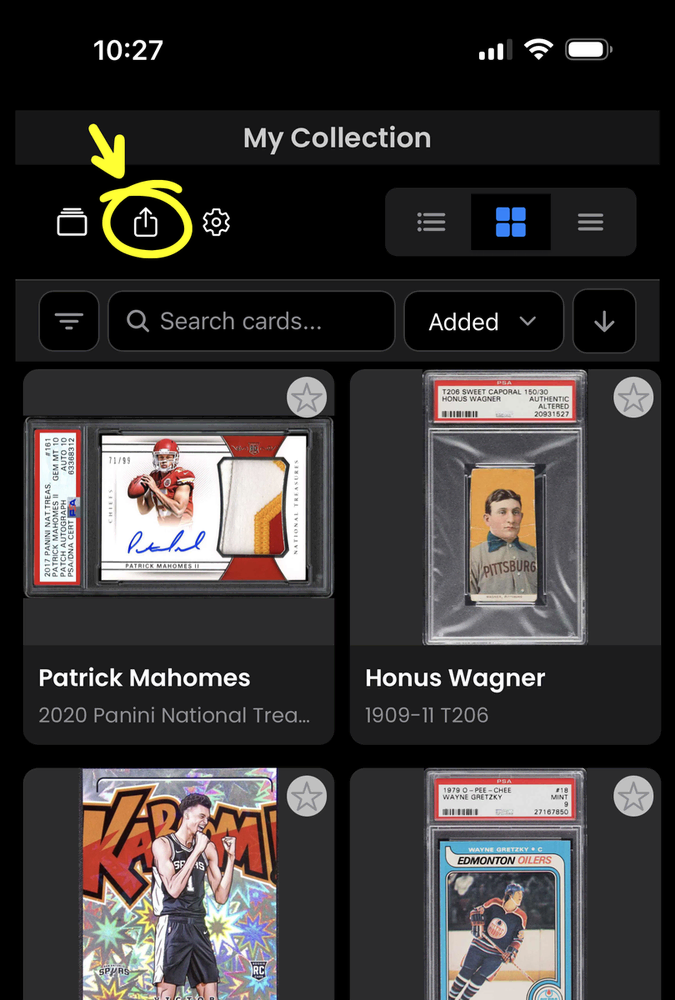
1. Tap the share icon on your collection.
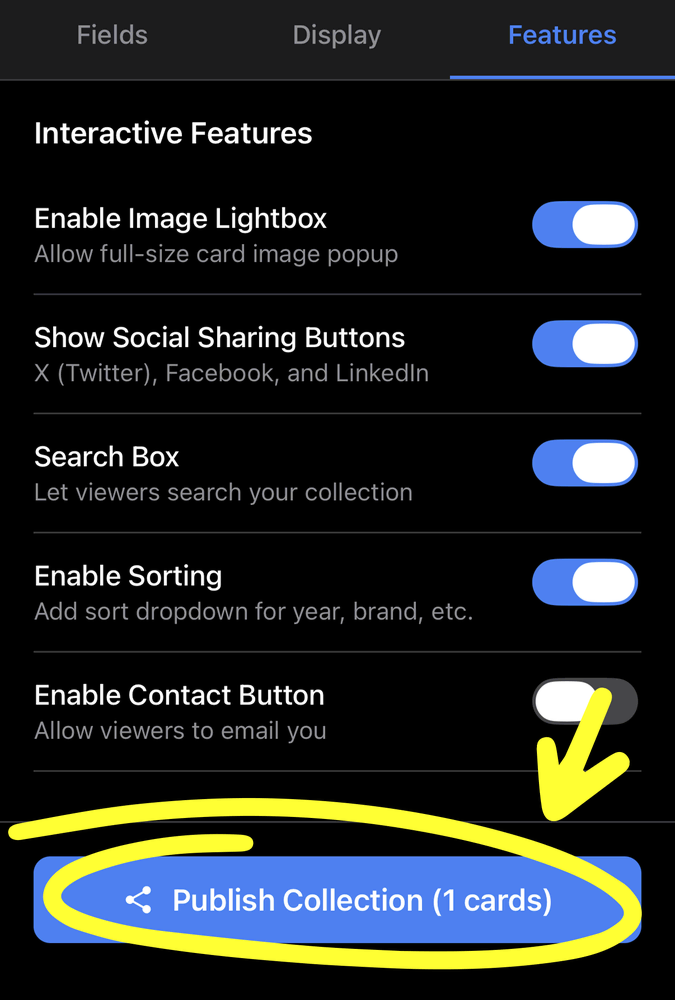
2. Configure settings and tap 'Publish'.
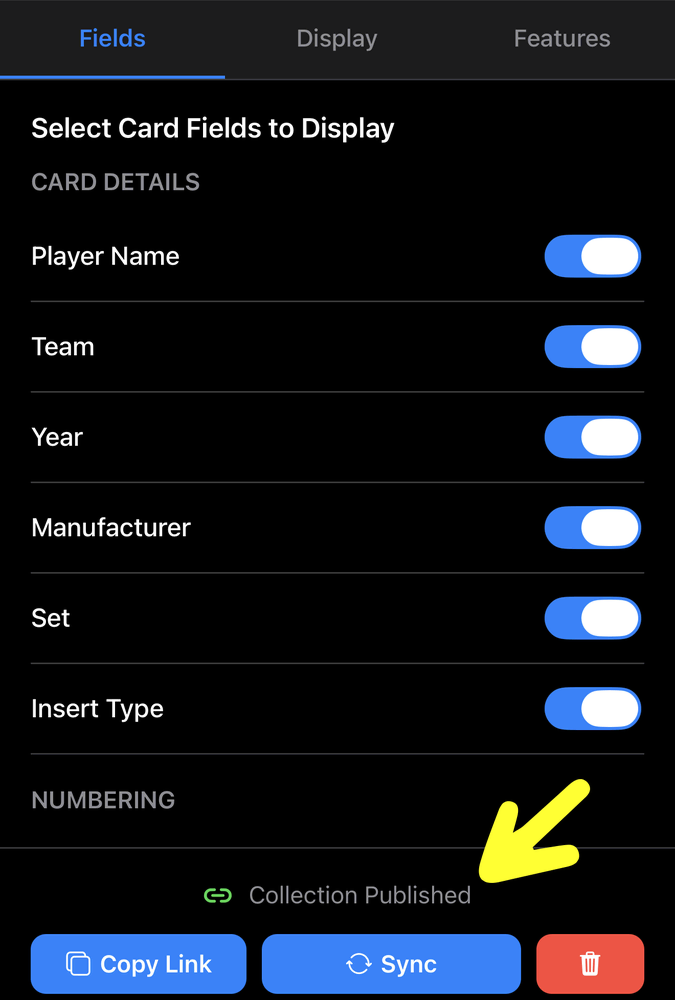
3. Your collection is now published.
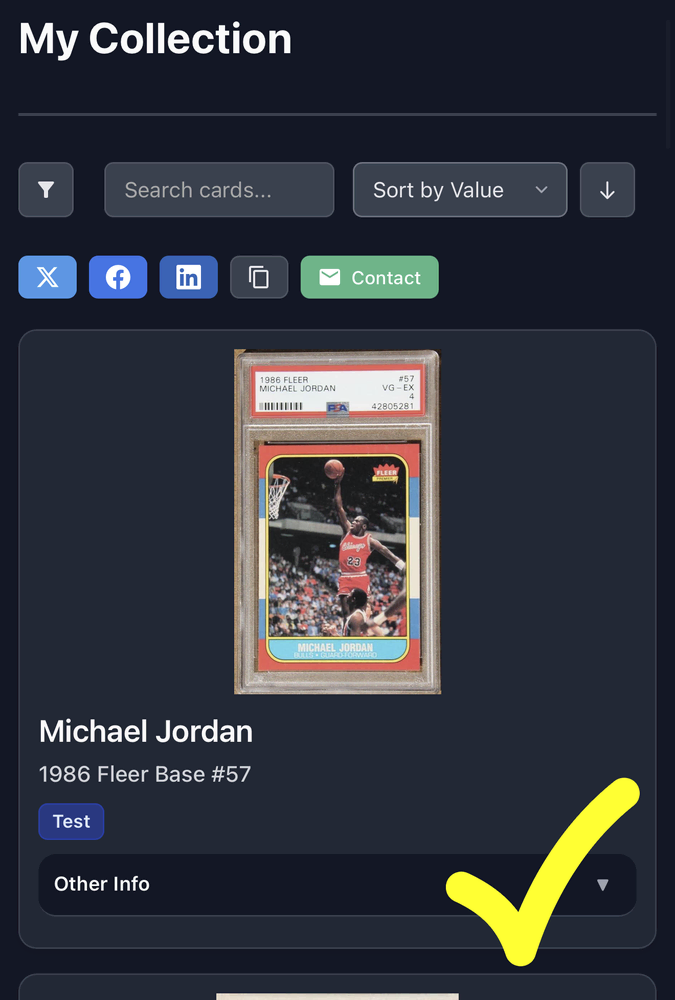
4. Share the link with others!
On The Web
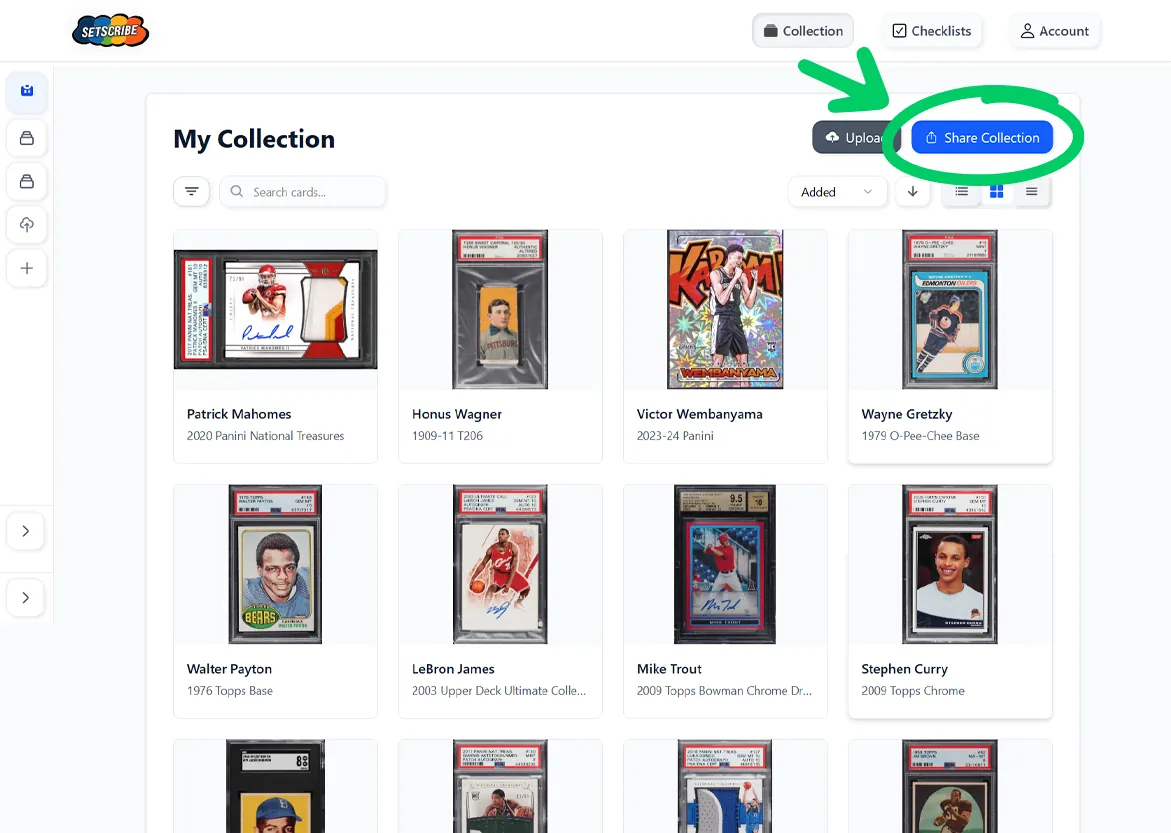
1. Click the share button on your collection.
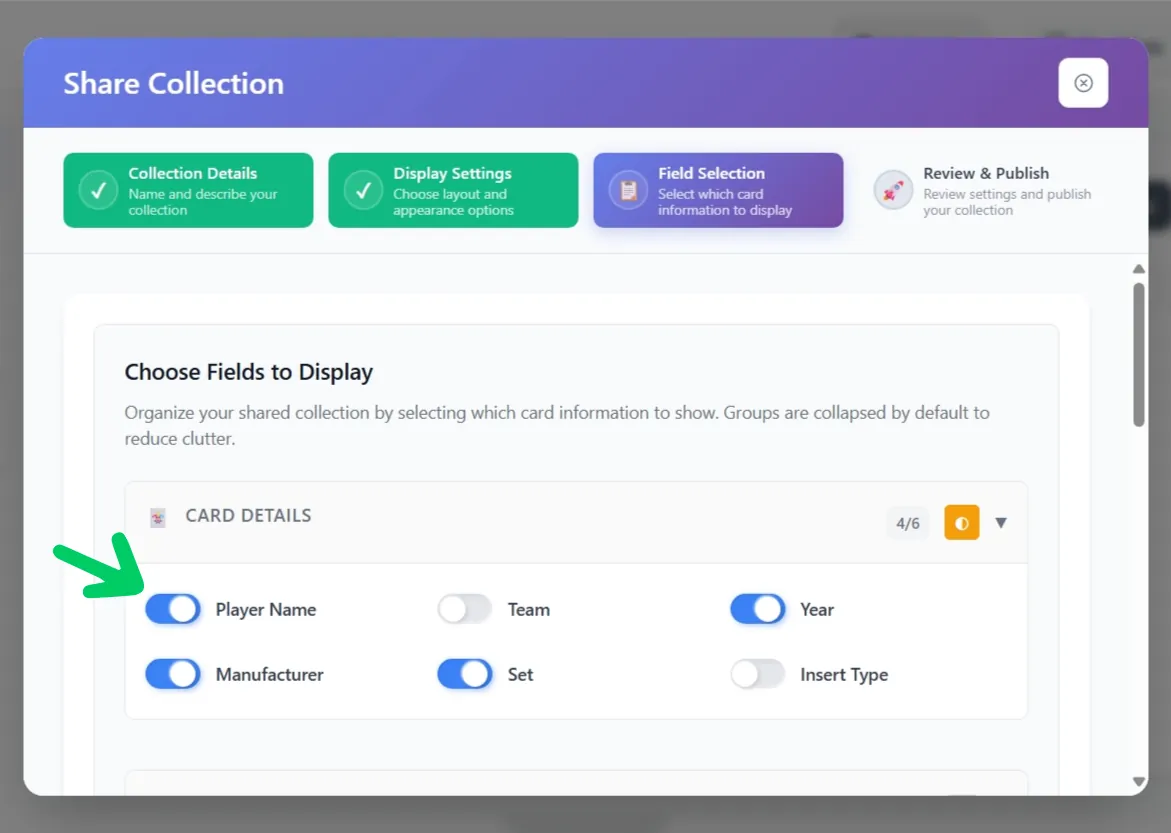
2. Choose sharing options.
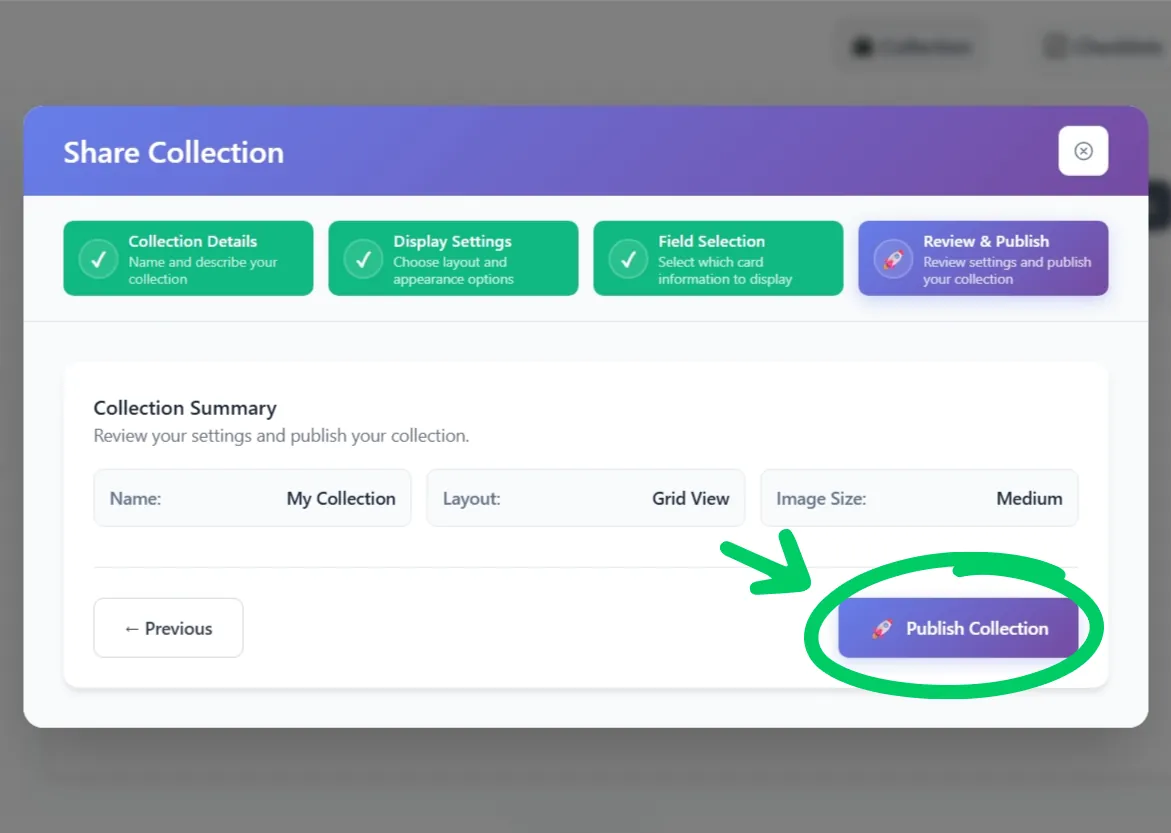
3. Click 'Publish' to make it live.
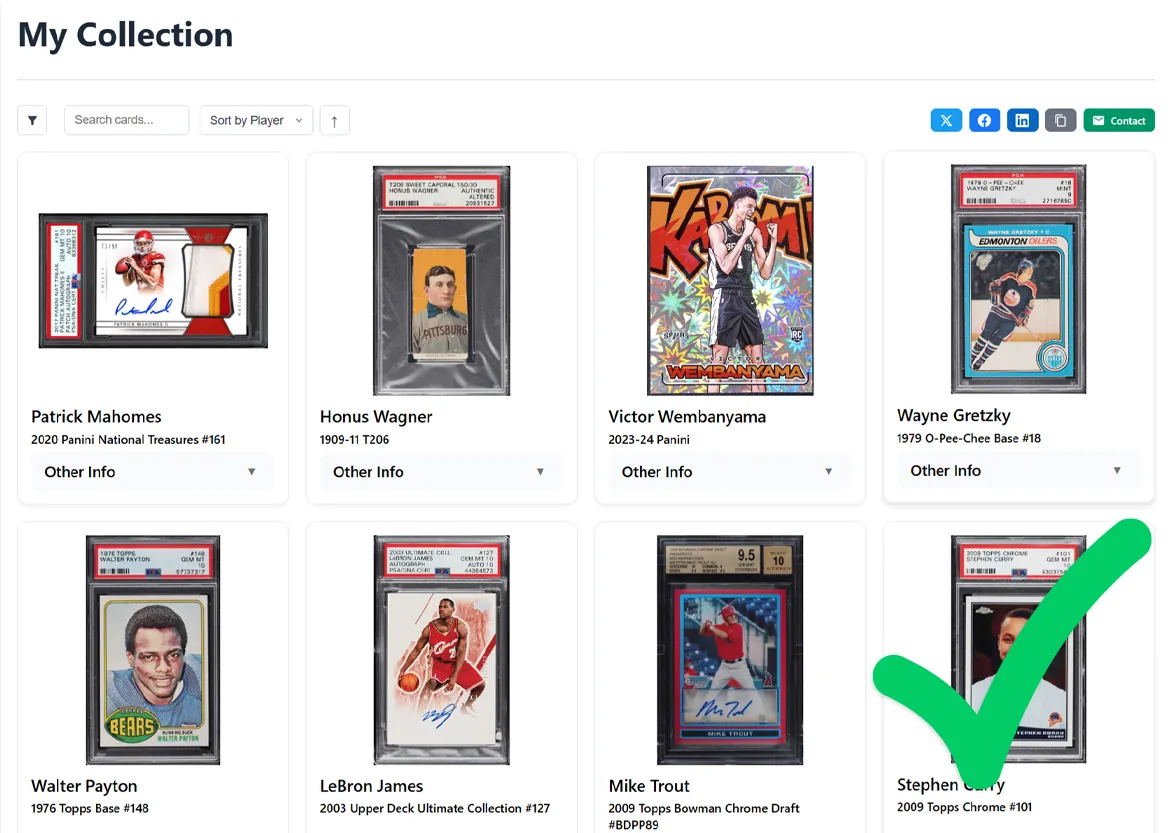
4. Your collection is now shareable!
Ready to Share Your Collection?
Publish yours in a couple of taps - free to start, no credit card.